
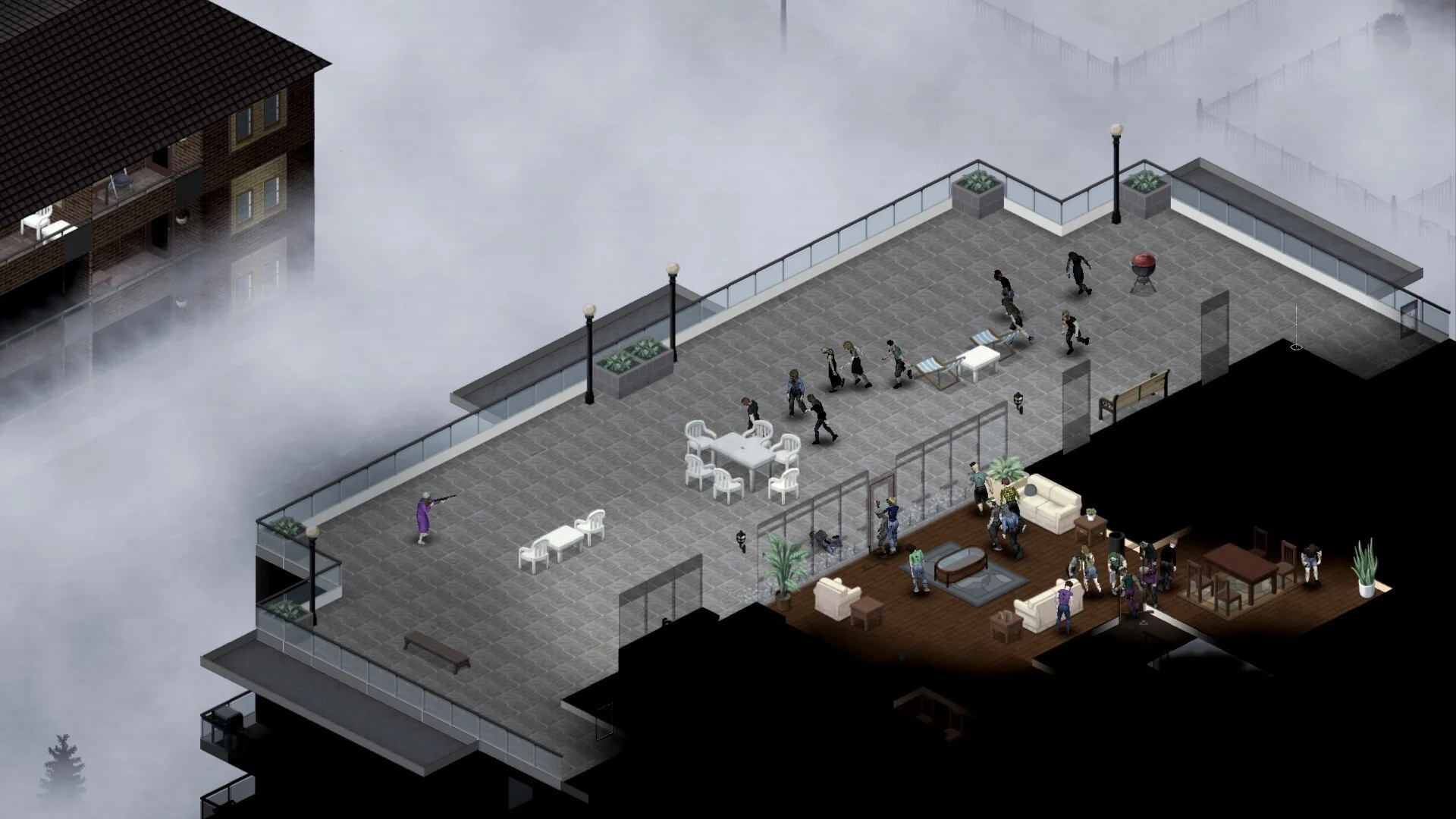

Project Zomboid Hosting
Project Zomboid hosting. Build 42 multiplayer ready.
UK, EU and Canada servers. Build 42 multiplayer support, sandbox configuration editor, Steam Workshop mods, automatic backups, and a panel that handles setup for you. Starts with a free trial.
UK, EU and Canada hosted. Full panel access.
What the panel gives you
Build 42 Multiplayer
Servers run on Build 42, the major multiplayer overhaul. Improved netcode, higher stable player counts, underground areas, and the full B42 feature set. B41 saves are not compatible with B42.
Sandbox Configuration
Visual editor for zombie population, speed, loot rarity, day length, water and electricity shutoffs, XP multipliers, and infection rules. Changes serialised back to valid Lua format.
Workshop Mods
Manage Steam Workshop mods from the panel, one at a time or by pasting a Workshop Collection URL to bulk-add every mod in it. Brita's Weapons, Hydrocraft, and thousands more.
Server Config Editor
Edit servertest.ini from the panel. Server name, password, max players, PVP settings, and network config without raw file editing.
Automatic Backups
World saves are backed up automatically, with integrity checks on every backup and the option to restore specific files instead of the whole thing.
Save Browser
See every world save stored on your server, with size and last-modified time, straight from the panel.
Update Detection
The panel flags when your server's build falls out of date or off the branch your players are on, so mismatched clients don't silently fail to connect.
Setup Wizard
Guided first-run flow that configures your server. Pick survival or sandbox, set max players, and configure key settings before the first start.
Server types
Survival or sandbox.
Survival
DefaultThe standard apocalypse. Zombie population ramps up over time, resources become scarce, and every decision matters. The way Project Zomboid was meant to be played.
Sandbox
Fully customisable settings. Control zombie count, loot rarity, weather, day/night cycle, infection rules, and more. Build the exact experience you want for your group.
Configure your world before you start.
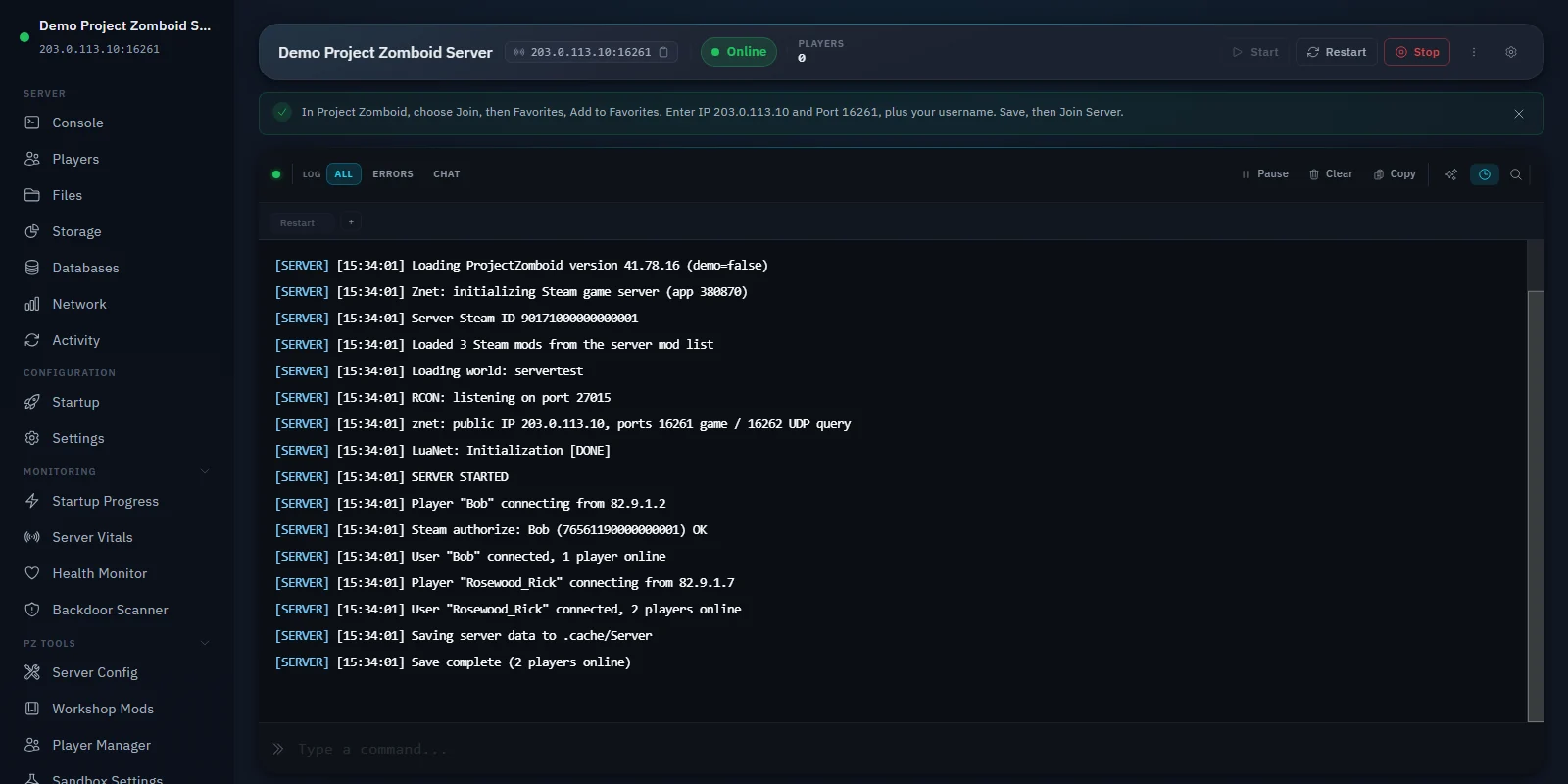
The setup wizard handles first-run configuration. Pick survival or sandbox, set max players and password, before the server installs from Steam and goes live.
- Choose survival or sandbox mode
- Set max players and server password
- Configure key sandbox settings upfront
- Start the server from the panel
Plans from £10/mo for any group size.
We run servers in the UK (London), Germany and Canada, and you pick your region at checkout. Whether you are running a small survivor group or a heavily modded public server, there is a plan that fits.
View plans and pricing- UK, EU and Canada serversLondon, Germany & Canada
- Live uptime statusPublished at /status
- Cancel within 14 daysPro-rata refund on first purchase
- Workshop mods includedNo extra cost
Tune every detail
of the apocalypse.
Zombie population, speed, loot rarity, day length, utility shutoffs, and dozens more. All from a structured panel instead of digging through INI files.
- Zombie speed, strength, population, and cognition
- Loot rarity, respawn timers, and weapon spawns
- Water and electricity shutoff day controls
- XP multipliers, hunger, thirst, and infection rules
Multiplier for zombie count. 0 = none, 4 = insane.
1 = Urban focused, 2 = Uniform, 3 = Everywhere.
1 = Shamblers, 2 = Fast shamblers, 3 = Sprinters.
1 = Weak, 2 = Normal, 3 = Tough, 5 = Superhuman.
1 = Navigate + use doors, 2 = Navigate only, 3 = Basic.
Day when zombie population reaches maximum.
Add Workshop mods
one at a time, or by the collection.
Add a single mod by its Workshop ID, or paste a Steam Workshop Collection URL to bulk-add every mod it contains. Mod IDs are shown for review before anything is added. No FTP or manual file management needed.
- Brita's Weapons, Hydrocraft, and thousands more
- Bulk-add from a Workshop Collection URL
- Automatic mod loading on server restart
- No FTP or manual file transfers
Hundreds of new firearms, melee weapons, and attachments. The most popular weapon expansion.
Massive crafting expansion. Hundreds of new recipes, professions, and items for base building and survival.
Adds dozens of new drivable vehicles including trucks, SUVs, military vehicles, and motorcycles.
Adds NPC survivors to the world. They can join your group, trade, build, and fight alongside you.
Sitting, lying down, and realistic character animations. Adds immersion with context-aware actions.
Adds a configurable minimap with zoom, waypoints, player markers, and building outlines.
Plans from £10/mo.
UK, EU and Canada servers. No credit card needed to start. Every plan includes a 48-hour free trial.
The minimum that reliably runs Project Zomboid -- suited to a solo or very small group.
Get StarterLarger groups or lightly modded survival servers.
Get StandardFull range up to 8 GB. See all plans and pricing
Already have a Project Zomboid server? Here’s what changes.
- New pricing applies to new servers from today.
- The billing period you’ve already paid for doesn’t change — nothing is taken early and nothing is cut.
- From your next renewal date, the new pricing applies.
- You already have the 4 GB. Every Zomboid server has been running on 4 GB regardless of plan, because 2 GB didn’t work — a fresh world uses about 2.2 GB before a single player joins or a single mod loads, against a 2 GB plan. So if you’re on the old Starter tier, you’ve been getting the 4 GB tier’s memory while paying the 2 GB tier’s price. See the measurements behind this.
- You can cancel any time before your renewal if you’d rather not continue.
These are the Project Zomboid-specific tools. The panel also includes a full console, file manager, backups, schedules, and more.
How Zeros Host compares
What you get with Zeros Host versus a stock Pterodactyl panel or a typical Project Zomboid host.
Workshop mod manager from panel
Mod sorter (fixes load order)
Sandbox settings editor (form)
Anti-cheat per-check toggles
Save and world manager
Auto-update toggle
Server console
Automated backups
DDoS protection
All features on every plan
"Stock Panel" refers to an unmodified Pterodactyl installation. "Budget Host" reflects what is commonly offered by hosts in the same price range. Your experience may vary.
All features at every tier.
Every panel feature is included regardless of which plan you are on. We charge for server resources, not for access to tools.
Free Trial
Free
4 GB RAM · 48 hours
Starter
£10/mo
4 GB RAM · 40 GB storage
Standard
Popular£14/mo
6 GB RAM · 60 GB storage
Pro
£19/mo
8 GB RAM · 90 GB storage
Frequently asked questions
Something not covered here? Ask us directly.
How many players can my Project Zomboid server support?
Player capacity depends on your plan's RAM. Project Zomboid needs at least 4 GB to run reliably (a fresh world with no players or mods already uses close to 2.3 GB on its own), so every plan starts there. Starter (4 GB) suits a solo or very small group, Standard (6 GB) is our recommended tier for a server with regular activity, and Pro (8 GB) adds headroom for a larger, more active group or a heavier mod list. Build 42's improved netcode handles higher stable player counts than earlier builds.
Can I install mods on my Project Zomboid server?
Yes. Open the Workshop Mods section in your server panel, enter the Steam Workshop mod IDs you want, and the server downloads them on the next restart. Mods load automatically. You do not need FTP access or manual file transfers.
How do I schedule automatic restarts for Project Zomboid?
Open the Schedules page in your server panel. Create a new schedule, set a cron expression for when you want the restart to run (for example, 0 4 * * * for daily at 4am UTC), add a 'Send power action: Restart' task, and enable the schedule. The panel stops and restarts the server at the configured time.
Do you support Steam Workshop mods?
Yes. Steam Workshop mod support is built into the panel. Add mod IDs from the Workshop Mods page and they are downloaded and loaded automatically on the next server restart. No FTP, no manual file placement. Brita's Weapons, Hydrocraft, and thousands of community mods work this way.
Where are your Project Zomboid servers located?
Our servers run in the UK (London), Germany and Canada, and you pick your region at checkout, with low latency across all three. Zeros Host is a UK-based game server host and all prices are in GBP.
Project Zomboid hosting. Build 42 multiplayer ready.
Free trial. No credit card required.
Project Zomboid Build 42 hosting is available now. Start a free trial to try the panel.
Questions first? Join our Discord for help, updates and the community.